Blog

  • Cloud Deployment: What You Need to Know

    Cloud Deployment: What You Need to Know

    Cloud deployment refers to the process of making applications, services, or infrastructure available in a cloud environment. It involves selecting a cloud model, configuring resources, and delivering solutions over the internet.

    There are four main types of cloud deployment models:

    • Public Cloud: Shared infrastructure offered by providers like AWS, Azure, or Google Cloud.

    • Private Cloud: Dedicated resources for one organization, offering more control.

    • Hybrid Cloud: A mix of public and private, for greater flexibility.

    • Multi-Cloud: Using services from multiple cloud providers to avoid lock-in and enhance reliability.

    Deployment can be done using tools and services like:

    • CI/CD pipelines for automated deployments

    • Infrastructure as Code (e.g., Terraform, CloudFormation)

    • Container orchestration (e.g., Kubernetes)

    Benefits of cloud deployment include:

    • Faster time to market

    • Scalability on demand

    • Reduced infrastructure costs

    • Global accessibility

    Best practices include proper planning, securing your environments, monitoring performance, and automating repeatable tasks.

    Cloud deployment empowers businesses to deliver apps and services quickly and reliably. Whether you’re launching a small website or a global platform, understanding cloud deployment is key to digital success.

    🎙️ Latest Podcast

    Always plays the latest podcast episode

  • Cloud Compliance: What You Need to Know

    Cloud Compliance: What You Need to Know

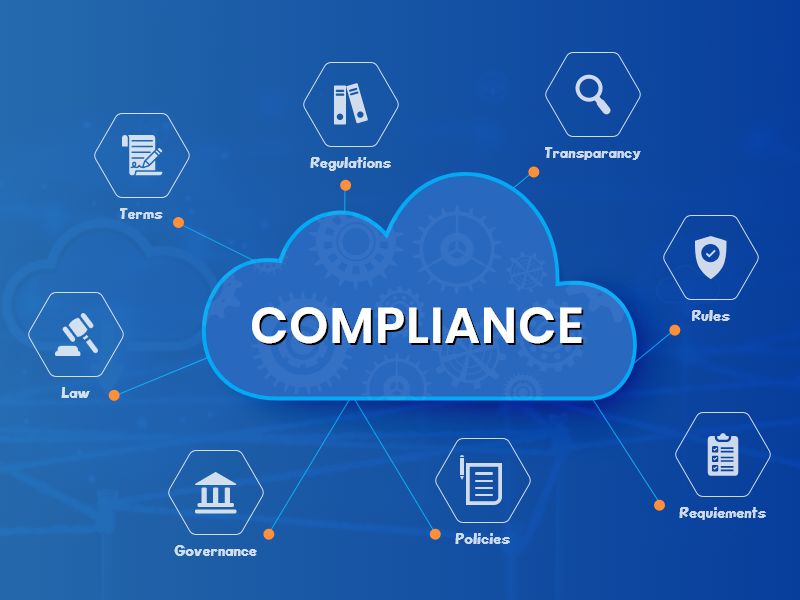
    Cloud compliance refers to the process of ensuring that cloud-based systems and data meet legal, regulatory, and industry standards. It’s essential for businesses handling sensitive data—like personal information, financial records, or health data.

    Common compliance standards include:

    • GDPR (General Data Protection Regulation) for data privacy in the EU

    • HIPAA for healthcare data in the U.S.

    • ISO 27001 for information security management

    • SOC 2 for service organization controls

    • PCI DSS for handling credit card information

    Cloud providers like AWS, Azure, and Google Cloud offer compliance-ready infrastructure, but it’s a shared responsibility. Providers manage the physical and infrastructure security, while businesses are responsible for data protection, access control, and proper configurations.

    Key cloud compliance practices include:

    • Data encryption (at rest and in transit)

    • Access control and identity management

    • Audit trails and logging

    • Regular risk assessments

    Non-compliance can lead to legal penalties, data breaches, and loss of customer trust.

    Cloud compliance is not just a checklist—it’s an ongoing commitment. Staying compliant ensures your cloud environment is secure, trustworthy, and aligned with industry expectations.

    🎙️ Latest Podcast

    Always plays the latest podcast episode

  • Cloud Scalability: What You Need to Know

    Cloud Scalability: What You Need to Know

    Cloud scalability refers to a system’s ability to handle increasing workloads by adjusting its resources—such as processing power, storage, and memory—on demand. It is a core advantage of cloud computing, allowing businesses to grow without facing performance issues or overprovisioning costs.

    There are two main types of scalability: vertical and horizontal. Vertical scaling (scaling up) involves adding more power to an existing machine, while horizontal scaling (scaling out) means adding more machines or servers to handle the load.

    Scalability is especially important for startups, e-commerce platforms, or any company expecting rapid growth or seasonal traffic spikes. With scalable cloud infrastructure, organizations pay only for the resources they use, leading to greater efficiency and cost savings.

    Key cloud providers like AWS, Azure, and Google Cloud offer auto-scaling features, which automatically adjust resources based on real-time demand.

    Understanding cloud scalability helps in planning infrastructure, improving user experience, and ensuring system reliability. Businesses that leverage scalable solutions are more agile, competitive, and ready to meet changing market demands.

    🎙️ Latest Podcast

    Always plays the latest podcast episode

  • Cloud Cost: What You Need to Know

    Cloud Cost: What You Need to Know

    Cloud cost refers to the expenses associated with using cloud computing services like storage, computing power, and data transfer. While cloud solutions offer flexibility and scalability, managing costs is essential to avoid overspending.

    Cloud pricing is typically pay-as-you-go, meaning you’re billed based on actual usage. This model benefits businesses by eliminating upfront hardware costs and allowing them to scale services as needed. However, without careful planning, cloud bills can quickly spiral out of control.

    Major cloud providers like AWS, Azure, and Google Cloud offer cost calculators and billing dashboards to help users track expenses. Costs can vary based on region, storage type, instance size, and bandwidth usage.

    To control cloud spending, businesses should:

    • Use auto-scaling to match demand.

    • Shut down unused instances.

    • Choose the right pricing models (on-demand, reserved, or spot instances).

    • Monitor usage regularly.

    Understanding cloud cost is not just about lowering bills—it’s about optimizing value. A well-managed cloud strategy ensures you pay only for what you need, when you need it, keeping your IT budget lean and efficient.

    🎙️ Latest Podcast

    Always plays the latest podcast episode

  • Cloud Monitoring: What You Need to Know

    Cloud Monitoring: What You Need to Know

    Cloud monitoring is the process of observing and managing the performance, availability, and security of cloud-based systems, applications, and infrastructure. It ensures that your cloud environment is running smoothly, efficiently, and securely.

    By using cloud monitoring tools, businesses can track metrics like CPU usage, memory consumption, network traffic, response times, and error rates. This helps identify issues early—before they affect users—and supports faster troubleshooting.

    Major cloud providers offer built-in tools for monitoring:

    AWS CloudWatch

    Azure Monitor

    Google Cloud Operations Suite

    These platforms provide real-time dashboards, alerts, logs, and analytics to help you maintain control over your cloud resources.

    Cloud monitoring also enhances:

    Performance: Keeps systems responsive and reliable.

    Security: Detects suspicious activity or breaches.

    Cost Efficiency: Identifies underutilized resources and waste.

    Compliance: Helps meet industry regulations and audit requirements.

    In dynamic environments, monitoring is not optional—it’s essential. Whether you manage a single app or a multi-cloud enterprise setup, continuous monitoring enables smarter decisions and greater reliability.

    To get the most value, set up automated alerts, review reports regularly, and use monitoring insights to optimize your architecture.

    Cloud monitoring keeps your systems healthy—and your business moving forward.

    🎙️ Latest Podcast

    Always plays the latest podcast episode

  • Cloud Automation: What You Need to Know

    Cloud Automation: What You Need to Know

    Cloud automation is the use of tools and scripts to manage cloud services automatically, reducing the need for manual intervention. It enables businesses to deploy, configure, scale, and manage cloud infrastructure faster, more consistently, and with fewer errors.

    With automation, tasks like launching virtual machines, configuring networks, setting up databases, and applying security policies can all happen without human input. This leads to greater efficiency, cost savings, and improved reliability.

    Popular cloud platforms like AWS, Azure, and Google Cloud offer automation tools such as:

    AWS CloudFormation

    Azure Resource Manager

    Google Cloud Deployment Manager

    Third-party tools like Terraform, Ansible, and Pulumi also help automate infrastructure across multiple providers.

    Key benefits of cloud automation include:

    Speed: Rapid deployment of resources and services.

    Consistency: Fewer configuration errors and manual mistakes.

    Scalability: Easily manage growing workloads.

    Security: Automatically enforce policies and compliance.

    Cloud automation is essential for DevOps, CI/CD pipelines, disaster recovery, and scaling applications on demand.

    In short, automation helps businesses move faster and smarter in the cloud. It frees up IT teams to focus on innovation rather than repetitive tasks—and ensures your cloud environment stays efficient and secure.

    🎙️ Latest Podcast

    Always plays the latest podcast episode

  • Cloud Strategy: What You Need to Know

    Cloud Strategy: What You Need to Know

    A cloud strategy is a comprehensive plan that outlines how an organization will use cloud computing to achieve its business goals. It defines which cloud services to use, how to migrate existing systems, and how to manage costs, security, and performance.

    A well-defined cloud strategy answers key questions like:

    • Should we use public, private, or hybrid cloud?

    • Which workloads should move to the cloud?

    • How will we ensure data security and compliance?

    • What is our disaster recovery and backup plan?

    Key components of a cloud strategy include:

    • Cloud model selection (IaaS, PaaS, SaaS)

    • Cost management

    • Security and governance

    • Vendor selection

    • Migration roadmap

    Organizations often start with non-critical workloads and scale up as confidence grows. Tools and platforms like AWS, Azure, and Google Cloud offer flexibility, but each comes with unique strengths and pricing models.

    A strong cloud strategy ensures your cloud investments align with long-term business objectives. It enables agility, innovation, and cost-efficiency—while minimizing risks like overspending, vendor lock-in, or compliance issues.

    In today’s fast-paced digital world, having a clear cloud strategy is not optional—it’s essential for staying competitive, scalable, and secure.

    🎙️ Latest Podcast

    Always plays the latest podcast episode

  • Cloud Security: What You Need to Know

    Cloud Security: What You Need to Know

    Cloud security refers to the set of technologies, policies, and practices used to protect data, applications, and infrastructure in cloud environments. As more businesses move to the cloud, securing digital assets becomes critical.

    Unlike traditional IT environments, cloud security is a shared responsibility. The cloud provider (like AWS, Azure, or Google Cloud) secures the infrastructure, while the customer is responsible for securing data, access, and configurations.

    Key components of cloud security include:

    • Identity and Access Management (IAM): Controls who can access what.

    • Data Encryption: Protects data at rest and in transit.

    • Firewalls and Network Security: Blocks unauthorized traffic.

    • Monitoring and Alerts: Detects suspicious behavior or potential breaches.

    • Compliance: Meets standards like GDPR, HIPAA, or ISO 27001.

    Best practices involve using strong passwords, multi-factor authentication, regular audits, and secure APIs. Automating security tasks through tools and policies can also reduce risks and human error.

    A strong cloud security strategy protects not only your data but also your reputation and customer trust. In today’s digital landscape, security is not just an IT concern—it’s a business priority.

    Investing in cloud security means protecting your future.

    🎙️ Latest Podcast

    Always plays the latest podcast episode

  • Cloud Infrastructure: What You Need to Know

    Cloud Infrastructure: What You Need to Know

    Cloud infrastructure is the foundation of cloud computing. It includes the virtual resources—such as servers, storage, networking, and software—that are delivered over the internet to run applications and services.

    Instead of buying and maintaining physical hardware, businesses can use cloud infrastructure provided by platforms like Amazon Web Services (AWS), Microsoft Azure, or Google Cloud Platform (GCP). These providers offer flexible, scalable, and on-demand access to computing resources.

    Key components of cloud infrastructure include:

    • Compute: Virtual machines or containers that run applications.

    • Storage: Object, file, or block storage for data.

    • Networking: Virtual networks, load balancers, and firewalls.

    • Management tools: Dashboards, APIs, and automation tools.

    Cloud infrastructure can be deployed in different models:

    • Public Cloud: Shared resources hosted by third-party providers.

    • Private Cloud: Dedicated resources for a single organization.

    • Hybrid Cloud: A mix of public and private environments.

    Benefits include cost savings, scalability, disaster recovery, and faster deployment. However, success depends on proper planning, security, and performance management.

    Understanding cloud infrastructure is essential for building reliable, scalable, and modern IT environments—whether you’re launching a startup or managing enterprise systems.

    🎙️ Latest Podcast

    Always plays the latest podcast episode

  • How to Choose a Safe Online Casino and Boost Your Play with Live Dealers

    How to Choose a Safe Online Casino and Boost Your Play with Live Dealers

    Finding a trustworthy platform is not a guess‑work exercise. Most players start by reading reviews, but the real shortcut is to use a curated ranking site that has already done the legwork. When you need a reliable resource, head to Lucky Carnival casino play uk. The page offers detailed comparisons, ratings, and a clear breakdown of each casino’s strengths and weaknesses.

    A well‑researched list saves you hours of scrolling through forums and vague advertisements. It also protects you from hidden fees, unfair bonus terms, and unlicensed operators. By trusting an expert‑curated source, you start your gaming journey with confidence and a solid safety net.

    Pro Tip: Always verify that a casino appears on a reputable ranking page before you deposit any money.

    Key Factors Every Player Should Check – Licenses, Game Variety, and Payments

    When you compare online casinos, focus on three core pillars: licensing, game selection, and payment options.

    • License and regulation – A valid UK gambling licence shows the site follows strict player‑protection rules. Look for the UK Gambling Commission seal or an equivalent authority.
    • Game library – More games usually mean better software diversity. Luckycarnival Casino Uk boasts over 3000 games from 44 providers, covering slots, table games, and live dealer tables. A large library also offers a broader range of RTP (return‑to‑player) percentages, so you can chase higher returns.
    • Payment methods – Fast deposits and withdrawals keep the fun flowing. The platform accepts popular cards, e‑wallets, and Bitcoin as well as USDT, giving crypto‑savvy players a seamless experience.

    A casino that checks all three boxes is likely to deliver a smooth, secure, and enjoyable session.

    Industry Secret: Sites that support both fiat and crypto often have faster withdrawal times because they use modern processing gateways.

    Live Dealer Games – What to Look For and Why They Matter

    Live dealer tables bring the buzz of a brick‑and‑mortar casino straight to your screen. Here’s what makes a good live dealer offering stand out:

    • Stream quality – Look for 1080p HD streams with low latency. This ensures you see every card and wheel spin in real time.
    • Dealer professionalism – Friendly, well‑trained dealers improve the overall atmosphere and can answer basic rule questions.
    • Game variety – Classic blackjack and roulette are a must, but many platforms also feature baccarat, poker, and specialty games like Dream Catcher.

    Luckycarnival Casino Uk’s live section includes multiple studios, so you can switch between tables without interrupting play. The site also provides a chat function, letting you interact with the dealer and other players, which adds a social element often missing from pure software slots.

    Did You Know? Some live dealer games use multiple decks to reduce the chance of card‑counting, keeping the game fair for everyone.

    Comparing Top Platforms – A Quick Side‑by‑Side Table

    Below is a snapshot of how three popular online casinos stack up against each other. The figures are based on the latest public data and expert reviews.

    Feature Luckycarnival Casino Uk Casino Alpha Casino Nova
    License (UK) Yes Yes No
    Game count 3000+ 1800+ 2200+
    Crypto support Bitcoin, USDT Bitcoin only None
    Live dealer studios 4 2 3
    Max welcome bonus €3,000 (3 deposits) €2,500 (2 deposits) €2,000 (1 deposit)

    Use this table as a quick reference when you narrow down your options.

    Quick Win: If you value crypto deposits, Luckycarnival Casino Uk is the clear leader among the three.

    Practical Tips for Setting Limits and Playing Responsibly

    Responsible gambling is a habit you can build from day one. Here are steps to keep your play safe and enjoyable:

    • Set a daily budget before you log in and stick to it.
    • Use the “self‑exclusion” or “time‑out” tools offered by the casino. Luckycarnival Casino Uk lets you pause your account for periods ranging from 24 hours to 6 months.
    • Track your wins and losses in a simple spreadsheet. Seeing the numbers helps you stay in control.

    Pro Tip: Treat any bonus as extra play money, not as a source of guaranteed profit. Always read the wagering requirements before you claim a free spin or cash match.

    Putting It All Together – Your Personal Checklist Before Signing Up

    Before you finish your registration, run through this quick checklist. It ensures you haven’t missed any crucial detail.

    • Verify the casino holds a valid UK gambling licence.
    • Confirm the game library includes at least 3000 titles and your favorite providers.
    • Check that the site supports your preferred payment method, such as Bitcoin or traditional cards.
    • Review the live dealer options and make sure the stream quality meets your expectations.
    • Read the bonus terms, especially wagering multiples and expiration dates.
    • Activate responsible‑gaming tools like deposit limits and session timers.

    By following these steps, you’ll join a platform that is safe, fun, and tailored to your needs. Whether you’re chasing the thrill of a high‑roller slot or the social vibe of a live dealer table, starting with a vetted casino like Luckycarnival Casino Uk puts you on the right path.

    Always gamble responsibly and enjoy the games.

    🎙️ Latest Podcast

    Always plays the latest podcast episode